METR's randomized controlled trial shows experienced developers complete tasks 19% slower with AI coding tools, despite perceiving a 20% speedup (a 39-point gap). Anthropic's study found junior devs score 17% lower on comprehension tests when using AI assistance. GitClear reports 4x growth in code clones and a 60% drop in refactoring. The fix isn't abandoning these tools, it's using them strategically: greenfield projects and boilerplate get massive speedups, while complex work on mature codebases gets worse. Establish team-level guidelines that match tool usage to task complexity.
Experienced developers using AI coding tools believe they're 20% faster. The clock says they're 19% slower. That 39-point perception gap, the size of nearly two letter grades, is the most uncomfortable result in the most rigorous productivity study ever run on these tools, and it should make every engineering leader reconsider how they're deploying them.
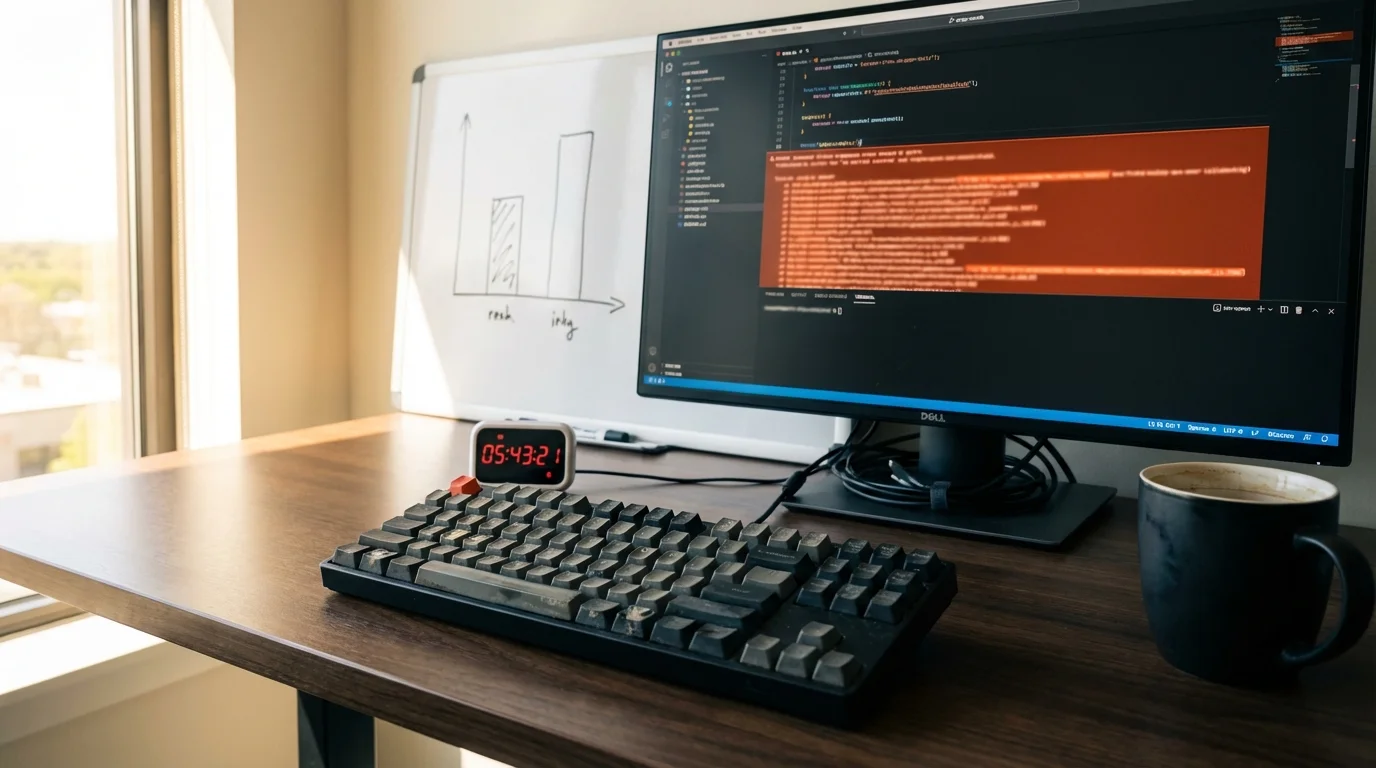
Picture a senior engineer who knows a codebase cold burning 45 minutes wrestling with Cursor on a database migration he could have written manually in 12. The schema is memorized. He's written dozens of migrations for this exact repo. But he's developed the habit of starting every task in the AI assistant, and by the time he's prompted, reviewed, corrected, re-prompted, and finally hand-edited the output, the clock has already won. Then he tells himself the tool "saved him a ton of time on that one." This isn't an anecdote anymore. It's the modal experience the data now describes.
The METR Study: A 39-Point Perception Gap
In July 2025, METR (a nonprofit AI research organization) published results from a randomized controlled trial, the gold standard of research methodology, measuring how AI coding tools affect experienced developer productivity. The study ran from February to June 2025, and its design was meticulous.
Sixteen experienced open-source developers completed 246 real tasks on repositories they personally maintained. These weren't toy problems or interview questions. The codebases averaged over 1 million lines of code. Tasks were randomly assigned to either "AI-allowed" (Cursor Pro with Claude 3.5 Sonnet) or "AI-forbidden" conditions. Every task was a real issue from the developer's own project.
The result: developers using AI tools took 19% longer to complete their tasks.
When METR revisited the experiment a year later, the 2026 follow-up didn't flip that slowdown into a speedup the way many headlines claimed, and the point estimate held at roughly an 18% slowdown.
But here's the part that should concern engineering leaders more than the headline number. Before the study, developers predicted AI tools would make them 24% faster. After completing tasks with AI, they reported feeling 20% faster. The objective measurement showed 19% slower.
That's a 39-percentage-point gap between perception and reality.
The most striking detail: even after being shown the data, 69% of participants said they'd continue using AI tools. The tools make coding feel better even when they make it measurably slower. For a deeper look at how to objectively measure AI tool performance, see our guide on evals-driven development in practice.
| Metric | Value |
|---|---|
| Predicted speedup (pre-study) | +24% faster |
| Perceived speedup (self-report) | +20% faster |
| Actual measured performance | 19% slower |
| Perception-reality gap | 39 percentage points |
| AI suggestion acceptance rate | <44% |
| Developers who still preferred AI | 69% |
Why Experienced Developers Get Slower
The METR data reveals three specific mechanisms driving the slowdown, and none of them are "AI tools are bad." They're structural mismatches between how these tools work and how experienced developers operate on familiar codebases.
Context-Switching Overhead
Every time a developer shifts from coding to prompting, formulating what they need, reviewing the response, deciding what to keep, they're paying a cognitive switching cost. Research on task-switching suggests each transition costs roughly 23 minutes of regained focus for complex work. On a mature codebase where you already know the patterns, you're adding a communication layer between yourself and code you could write directly.
The 70% Problem
AI-generated code is roughly 70% correct on the first pass. For greenfield work, that's a massive headstart. For a developer who already knows what the correct code looks like, it means spending time reading, evaluating, and fixing the 30% that's wrong, time they wouldn't have spent if they'd just written it themselves. This maps directly to Opsera's 2026 benchmark data: AI-generated pull requests have a 32.7% acceptance rate compared to 84.4% for human-written code. Reviewers aren't being unnecessarily picky. AI code has 1.7x more bugs and 15–18% more security vulnerabilities. The benchmark gap underneath this is the same one we cover in SWE-Bench Pro: why coding agents collapse from 80% to 23% on real codebases, single-file demos hide the multi-file failure modes that show up in real PRs.
Expertise Devaluation
The METR study specifically selected developers with deep expertise in their codebases. These are people who can hold the entire architecture in their head, know which patterns work and which don't, and can navigate a million-line repository by instinct. AI tools can't leverage any of that institutional knowledge. They treat every prompt as if the developer is encountering the codebase for the first time. This is why the productivity impact flips dramatically based on context. The same tools that slow down an expert on their own codebase can deliver a 90% speedup on a greenfield project where nobody has expertise yet.
The Code Quality Crisis Nobody's Measuring
The productivity debate overshadows an equally important finding: AI-assisted codebases are accumulating structural debt at an alarming rate.
GitClear analyzed 211 million lines of code across major tech companies and found patterns that should alarm any engineering leader thinking about long-term maintainability:
For the first time in GitClear's measurement history, copy-paste code exceeded moved (reused) code. Developers, or more precisely, AI tools, are duplicating logic instead of abstracting it. Refactoring, the practice that keeps codebases healthy over time, has collapsed from 25% of code changes to under 10%. We dig into the codebase-level churn and duplication data behind the slowdown in a dedicated breakdown.
The downstream effects are predictable. Opsera found that AI-generated pull requests wait 4.6x longer for code review, a pattern that matches the DORA 2025 data on AI throughput and incident rates, where AI raised PR throughput 98% but pushed review time up 441% and tripled incidents per PR. This isn't reviewer laziness, it's rational triage. Reviewers have learned that AI PRs are larger, contain more logic errors, and fail at higher rates. Heavy AI users contribute to longer review cycles across the entire team, not just their own PRs.
Our experience at Particula Tech tracks with these numbers. Across the codebases we've audited, AI-assisted development routinely produces several times the code volume in a fraction of the time, but requires multiplied review effort and introduces regressions that take weeks to untangle. The velocity is real. So is the debt.
| Metric | Pre-AI Baseline | Current (2025-2026) | Change |
|---|---|---|---|
| Code clones (duplication) | Baseline | 4x growth | Dramatic increase |
| Refactoring as % of changes | 25% (2021) | <10% (2024-2025) | -60% decline |
| Code churn (short-lived code) | Baseline | Significant increase | Rising |
| Copy/paste vs. reused code | Reuse dominated | Copy/paste dominates | Historic first |
The Comprehension Tax on Junior Developers
If the METR study covers the productivity side, Anthropic's research reveals the learning side, and it's arguably more concerning for long-term team health.
Anthropic ran a randomized controlled trial with 52 mostly junior engineers learning Trio, a Python asynchronous programming library. The AI-assisted group averaged 50% on comprehension tests. The manual coding group scored 67%. That's a 17-percentage-point gap, equivalent to nearly two letter grades.
The largest comprehension drops appeared in debugging questions. Think about what that means: the skill most critical for validating AI-generated code is the exact skill that atrophies fastest when developers delegate to AI.
The timing matters too. The AI-assisted group finished only about two minutes faster, a statistically insignificant difference. Developers traded meaningful comprehension for virtually zero speed gain.
Usage Patterns That Preserve Learning
Anthropic's data isn't uniformly bleak. How developers use AI tools matters enormously: Low-scoring patterns (below 40% comprehension): High-scoring patterns (65%+ comprehension): The implication is clear: AI as a teacher works. AI as a replacement for thinking doesn't. Teams that want junior developers to actually grow need explicit guidelines about when and how to use AI assistance, not just whether to use it at all.
- Complete delegation of code generation to AI
- Progressive reliance, starting manual, then shifting to AI as tasks get harder
- Using AI to iteratively debug rather than understanding the root cause
- Asking follow-up questions after AI generates code
- Combining code generation with explanations
- Using AI for conceptual questions while coding independently
When AI Coding Tools Actually Help
The research isn't a blanket indictment. It's a specificity lesson. AI tools have measurable, significant benefits in well-defined contexts:
Greenfield Projects
When nobody has expertise in the codebase (because it doesn't exist yet), AI tools eliminate the expertise advantage that humans hold on mature projects. Developers report 40–90% speedups on new project scaffolding, and the data supports those numbers. The 70% correctness rate is a gift when the alternative is starting from zero.
Boilerplate and Repetitive Tasks
Test generation, CRUD endpoints, configuration files, data transformation pipelines, tasks where the pattern is well-established and the value is in volume, not nuance. For teams looking at how to set up effective AI coding workflows for these tasks, our Cursor best practices guide covers the practical setup.
Unfamiliar Codebases and Languages
When a developer is working outside their comfort zone, a Python developer writing Rust, a frontend engineer debugging infrastructure code, AI tools act as an always-available pair programmer with broad (if shallow) knowledge. This is one area where the tools genuinely accelerate learning rather than replacing it.
Documentation and Explanation
Generating docstrings, writing commit messages, explaining unfamiliar code patterns. These tasks are low-risk, low-complexity, and play to AI's strengths in pattern matching and natural language generation.
A Task Complexity Framework for Engineering Teams
The data points to a straightforward framework: match AI tool usage to task complexity relative to developer expertise.
The key insight: the better you know your codebase and the more complex the task, the less likely AI tools are to help. This isn't a limitation that will be solved by better models. It's a structural property of how expertise works, an expert's mental model of a system is richer, more contextual, and more integrated than anything a language model can reconstruct from a prompt and a few files.
For a deeper comparison of which AI coding tool works best for different scenarios, see our Cursor vs Claude Code 2026 comparison.
| Task Type | Developer Expertise | AI Tool Impact | Recommendation |
|---|---|---|---|
| Greenfield scaffolding | Low (new project) | +40–90% faster | Use heavily |
| Test generation | Any | +2–5x faster | Use heavily |
| Boilerplate/CRUD | Any | +30–60% faster | Use freely |
| Unfamiliar language/framework | Low | +20–40% faster | Use as learning aid |
| Complex logic, familiar codebase | High | -19% slower | Use sparingly or skip |
| Architecture decisions | High | Negative | Skip entirely |
| Debugging production issues | High | Mixed | Use for search, not fixes |
| Security-critical code | Any | +15–18% more vulns | Manual review required |
Practical Recommendations for Engineering Teams
Based on the research and patterns from the engineering organizations we've worked with, here's what actually works:
1. Stop Trusting Self-Reports
The METR study's biggest contribution isn't the 19% number, it's the proof that developer self-assessment is unreliable for measuring AI tool impact. If your team says "AI saves me 2 hours a day," that's how it feels. It may not be what's happening. Measure objective metrics instead: time-to-merge for comparable PRs, defect density in AI-assisted versus manual code, code review cycle times, and production incident frequency. Even a lightweight A/B test with 5–10 developers over a few weeks produces more actionable data than surveys.
2. Establish Task-Based Usage Guidelines
Not "use AI for everything" or "don't use AI." Instead, define which task categories benefit from AI assistance and which don't, based on your team's specific codebase and expertise distribution. A new hire working on an unfamiliar service should use AI differently than the engineer who built that service three years ago.
3. Protect Junior Developer Learning
Anthropic's data is clear: unrestricted AI delegation stunts skill development. Establish "learning zones" where junior developers code manually, especially for debugging exercises and core system components. When they do use AI, encourage the explanation-seeking pattern (asking "why" after getting code) rather than the delegation pattern (accepting code without understanding it).
4. Budget for the Review Tax
If your team is adopting AI tools broadly, code review capacity needs to increase. Opsera's 4.6x longer review time isn't optional overhead, it's the cost of maintaining quality when AI-generated code has a 32.7% acceptance rate. Factor this into sprint planning. Consider automated pre-review tools that catch common AI code issues before human reviewers see them.
5. Monitor Code Health Metrics
Track refactoring ratios, code duplication, and churn rates alongside velocity metrics. If AI tools are producing more code but less refactoring, you're accumulating debt that compounds. GitClear's finding, refactoring dropped from 25% to under 10% of code changes, should be a dashboard metric, not a surprise in next year's architecture review. For teams building AI-powered products (rather than just using AI to write code), understanding how to test AI systems with no clear right answer is equally critical to shipping reliable products.
The Bigger Picture: A Maturity Curve, Not a Verdict
These studies don't prove AI coding tools are a mistake. They prove that the current adoption pattern, give everyone Copilot or Cursor and assume productivity goes up, is naive.
The tools are powerful. They're also misapplied more often than not. The 19% slowdown in the METR study reflects what happens when you use a collaboration tool as a replacement tool. When experienced developers treat AI as a faster keyboard instead of a junior pair programmer with broad knowledge and zero judgment, the mismatch creates friction rather than flow.
The teams that succeed with AI coding tools share a common trait: they're deliberate about when and how these tools get used. They don't assume universal benefit. They measure. They set boundaries. And they treat AI-generated code with the same skepticism they'd apply to a pull request from a confident but unreliable contractor, useful contributions that always need review.
The 39-point perception gap is the number that should keep engineering leaders up at night. Not because the tools are bad, but because your team genuinely believes they're helping even when they're not. You can't fix what you can't see, and right now, most organizations are flying blind on the actual productivity impact of their most widely deployed engineering tools.
Measure it. You might not like what you find. But you'll make better decisions than the teams running on vibes.
FAQ
Quick answers to the questions this post tends to raise.