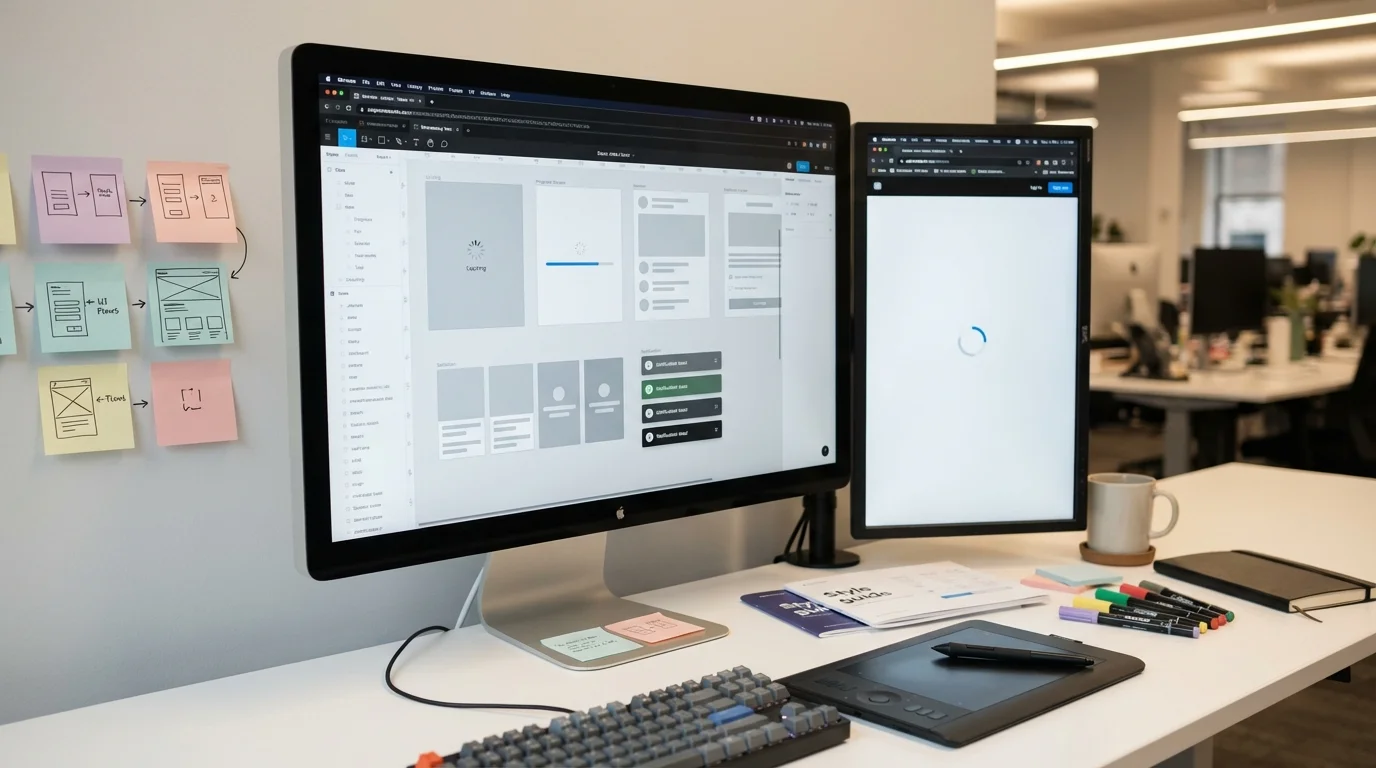
When your AI model takes 45 seconds to generate a response, traditional loading spinners fail spectacularly. Users stare at an empty screen, wonder if something broke, and eventually abandon the task. We've watched this pattern destroy otherwise excellent AI products, not because the underlying technology failed, but because the interface didn't respect how humans experience time.
At Particula Tech, we've implemented AI systems for clients across manufacturing, financial services, and customer support industries. The technical challenge of running complex inference is often simpler than the UX challenge of keeping users engaged during the wait. This guide shares the interface patterns that actually work when your AI needs more than a few seconds to deliver results.
Why Standard Loading States Fail for AI Operations
Before diving into solutions, understanding why conventional approaches break down with AI workloads is essential. The patterns that work for database queries or API calls collapse when applied to AI inference:
Unpredictable Duration Creates Anxiety
Traditional loading indicators work because users have intuitive expectations about timing. A page load takes 2-3 seconds. A form submission takes 5 seconds. But AI operations vary wildly, generating a simple summary might take 8 seconds while complex reasoning could require 3 minutes. This unpredictability triggers user anxiety that generic spinners cannot address.
Silence Suggests Failure
When users see a static "Processing..." message for 30 seconds, most assume the system has frozen. This assumption is rational, in typical applications, that kind of delay usually indicates a problem. AI operations break the mental model users have built through years of web interaction, and your interface needs to bridge that gap.
Abandonment Costs Are Extraordinarily High
Unlike abandoned shopping carts, users who leave during AI processing often don't return. They've already invested time formulating their request, waited through processing, and then lost patience. The frustration compounds, creating negative associations with your product that are difficult to overcome.
Progressive Disclosure Patterns for Long Operations
The most effective approach treats the waiting period as an opportunity to build anticipation and demonstrate value rather than hiding the process behind minimal feedback:
Stage-Based Progress Indicators
Rather than a single progress bar, decompose the AI operation into visible stages that communicate what's happening. For a document analysis system, this might display: "Reading document structure" → "Extracting key entities" → "Analyzing relationships" → "Generating summary." Each stage provides a new piece of information, resetting the user's patience clock. Implementation requires structuring your backend to emit progress events. If you're working with streaming APIs like those from OpenAI or Anthropic, you already have the foundation, extend it to include semantic stage updates alongside token generation. For batch operations, implement checkpoints that trigger frontend updates at meaningful intervals.
Estimated Time with Dynamic Adjustment
Displaying estimated time remaining works well when you can predict duration with reasonable accuracy. The key is dynamic adjustment, start with a conservative estimate and refine it as processing continues. Users tolerate underestimated times poorly but respond well to "ahead of schedule" updates. For AI workloads where duration varies significantly based on input complexity, consider showing a range: "Typically completes in 30-60 seconds." This honest acknowledgment of uncertainty performs better than false precision that consistently disappoints.
Contextual Activity Indicators
Animate elements that relate to the actual operation. For text generation, show words appearing in a preview area. For image analysis, display the image with a scanning animation overlay. For data processing, visualize data points being examined. These contextual indicators communicate activity more effectively than abstract spinners because they connect the wait to the expected output.
Background Processing With Notification Systems
For operations exceeding 2-3 minutes, keeping users on a dedicated waiting screen becomes counterproductive. Background processing with notification systems respects user time while ensuring they receive results:
Hybrid Approaches That Start Foreground, Move Background
The optimal pattern starts with foreground processing and progressively offers background options. After 15 seconds, display a subtle "Continue in background?" option. After 30 seconds, make this option more prominent. After 60 seconds, proactively suggest background processing with estimated completion time. This progressive approach captures users who prefer waiting while respecting those who have other tasks. It also provides valuable data about user preferences that can inform future UX decisions.
Notification Channel Selection
Offer multiple notification channels appropriate to your platform and user context. Email notifications work for truly long operations or offline scenarios. Browser notifications suit web applications where users might switch tabs. In-app notification centers work when users are likely to remain on your platform. Push notifications on mobile devices ensure delivery regardless of current app state. The ideal implementation allows users to set preferences once and applies them consistently, while also offering quick channel selection when initiating long operations.
Result Preservation and Session Recovery
Users who receive background completion notifications may not click through immediately. Your system must preserve results reliably and make them easily accessible when users return, potentially hours or days later. Implement a clear "Recent Results" section or notification history that shows completed operations with their status and access links.
Streaming Responses for Generative AI
When your AI generates text, code, or structured content, streaming the output fundamentally changes the user experience. For background on optimizing AI model performance, see our guide on when to use smaller models versus flagship models:
Token-by-Token Rendering
Modern LLM APIs support streaming responses where tokens arrive as they're generated rather than waiting for complete output. Implementing this properly requires careful attention to rendering performance, naive implementations that re-render on every token can create jarring visual effects and performance issues. Batch token updates in small groups (every 3-5 tokens typically works well) and use optimized text rendering that appends rather than replaces content. Consider implementing a "typewriter" effect with slight delays between character groups that creates a more natural reading experience than raw streaming speed.
Progressive Enhancement of Streamed Content
Raw streamed text from LLMs often lacks formatting that would appear in post-processed output. Implement progressive enhancement that applies formatting as complete blocks become available. When a code block is detected, apply syntax highlighting. When a complete sentence appears, enable text-to-speech. When structured data is recognized, render appropriate visualizations. This approach gives users immediate content while progressively improving its presentation, combining the engagement benefits of streaming with the polish of post-processed output.
Streaming with Graceful Degradation
Not all network conditions support reliable streaming. Implement graceful degradation that detects connection issues and falls back to buffered responses with progress indicators. Similarly, handle scenarios where streaming begins but the connection drops, preserve partial results and provide clear recovery options.
Optimistic UI Patterns for AI-Enhanced Features
Some AI operations can leverage optimistic UI patterns where the interface assumes success and corrects if necessary:
Predictable AI Augmentations
When AI enhances user actions in predictable ways, autocomplete, formatting, simple classifications, optimistically apply the expected result while the actual AI inference runs. If the AI returns a different result, smoothly transition to the corrected state. For predictions with high confidence, this approach makes AI feel instantaneous. The key is identifying operations where you can accurately predict outcomes based on historical patterns or simpler heuristics, then using those predictions while more sophisticated AI processing completes.
Staged Commits for Complex Operations
For operations combining user input with AI processing, implement staged commits. Accept and confirm the user's action immediately, then process AI enhancements asynchronously. The user sees their input saved while AI-generated additions appear progressively. This pattern works particularly well for content creation tools where users write text and AI adds suggestions, translations, or enhancements. The core content is saved immediately, removing user anxiety about data loss while AI processing continues.
Managing User Expectations Through Communication
Technical implementation only solves half the problem. Clear communication about what's happening and why builds the patience required for longer operations:
Setting Expectations Before Initiation
The best time to communicate about processing duration is before users start. When an operation will take significant time, say so clearly: "Comprehensive analysis takes 2-3 minutes. For faster results, try Quick Scan mode." This pre-commitment helps users choose appropriately and mentally prepare for the wait. Provide options when possible, faster operations with fewer features versus comprehensive analysis that requires patience. Users who consciously choose the longer option are far more tolerant than those surprised by unexpected delays.
Explaining the Value of Waiting
During longer operations, explain what the AI is actually doing and why it matters. "Analyzing 2.3 million data points to identify patterns" communicates value. "Comparing against 45 different scenarios" suggests thoroughness. These explanations transform waiting from frustrating into reassuring, the AI is doing substantial work that justifies the time.
Honest Error Communication
When AI operations fail after extended processing, the communication challenge intensifies. Never let users wait through a long operation only to receive a generic error. Explain what went wrong, whether any partial results are available, and what they can try next. If the failure was due to service issues on your end, acknowledge it directly and offer appropriate compensation (credits, priority reprocessing, etc.).
Technical Implementation Considerations
Effective UX for long-running AI tasks requires supporting technical architecture. For more on building robust AI systems, explore our guide on how to trace AI failures in production models:
Event-Driven Progress Updates
Implement event-driven architecture that publishes progress updates as AI operations proceed. Whether using WebSockets, Server-Sent Events, or polling with efficient caching, the frontend needs reliable access to operation status without continuously checking. Design your event schema to include: operation stage, estimated completion percentage, current activity description, and any partial results available. This rich status information enables the sophisticated UI patterns described above.
Persistent Operation State
Long-running operations must survive frontend disconnection. Store operation state server-side with unique identifiers that allow clients to reconnect and resume observing progress. Include TTL policies that clean up abandoned operations while preserving completed results for reasonable durations.
Queue Management and Priority Systems
When multiple users initiate long-running AI operations, queue management becomes critical. Implement priority systems based on user tier, operation type, or fairness algorithms that prevent any single user from monopolizing resources. Communicate queue position to users when their operation is waiting to start.
Measuring Success and Iterating
Deploy analytics specifically tracking long-operation UX to guide improvement:
Track abandonment rates at different wait durations to identify critical thresholds where users give up. Monitor which progress indicator patterns correlate with higher completion rates. Measure user satisfaction with post-operation surveys that specifically ask about the waiting experience.
Use this data to iterate on your approach. You may discover that certain user segments prefer background processing while others prefer to watch progress. Different operation types might benefit from different indicator styles. Continuous measurement enables continuous improvement.
Building Patience Into Your Product
Handling long-running AI tasks in user interfaces isn't just a technical challenge, it's a fundamental product design consideration. The patterns that work, progressive disclosure, background processing, streaming responses, and clear communication, share a common principle: respect for user time and intelligence.
Users will wait for valuable results if you communicate clearly, demonstrate progress, and deliver on expectations. The investment in proper UX for long operations pays dividends in completion rates, user satisfaction, and ultimately in whether your AI product succeeds in the market. Start with the patterns that match your typical operation durations, measure rigorously, and iterate based on real user behavior rather than assumptions.