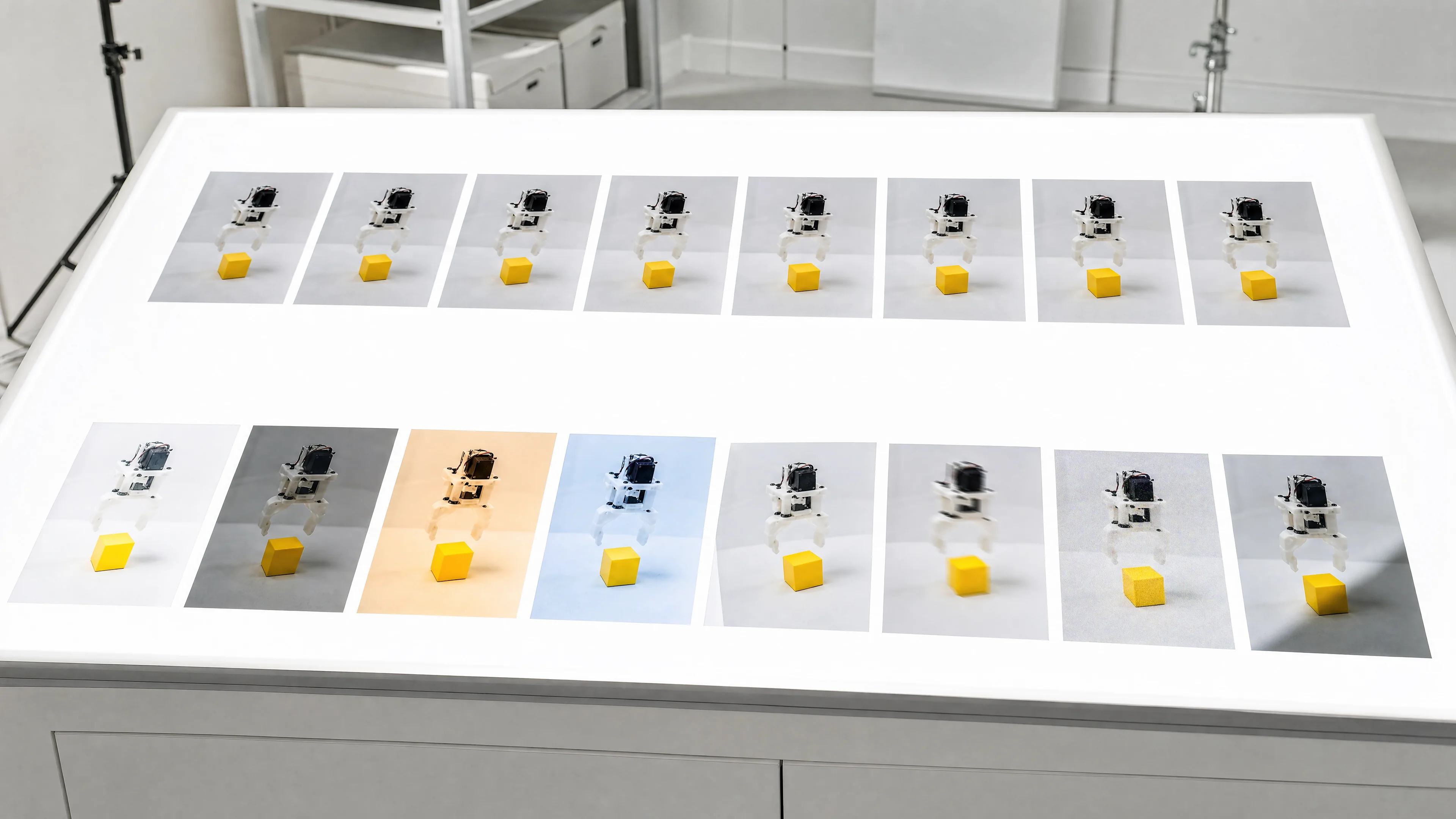
LeRobot image augmentation is off by default (ImageTransformsConfig enable=False), and turning it on is one flag, --dataset.image_transforms.enable=true, which applies 3 of the 6 default transforms per sample at training time only. At v0.6.1 (3 August 2026) the eight robotics transforms added in PR 4210, including GaussianNoise, MotionBlur and JPEGCompression, returned uint8 input unchanged, and lerobot-train loads datasets with return_uint8=True, so on video-backed datasets (the lerobot-record default) they never ran. v0.7.0 (5 November 2026) rewrote every transform to convert uint8 to float, transform, and round back once, so all of them now apply and the same recipe trains differently. It also added backend=gpu, which the pull request's own measurements put at 2.8x samples per second on an H100 and 5% slower on an L4 with 8 workers. The built-in visualizer reads float frames, so it showed the broken transforms working. Verify on the training path instead: read train_config.json, then load one episode with return_uint8=True and print the per-camera pixel change for each transform in your recipe.
You enabled LeRobot image augmentation with --dataset.image_transforms.enable=true, added GaussianNoise and MotionBlur for the wrist camera, trained, and the policy behaves exactly like the run without them. On LeRobot v0.6.1 that is the correct outcome. The v0.7.0 release notes, published on 5 November 2026, say it plainly: GaussianNoise, MotionBlur, GaussianPatchBrightness, RandomShadow, CoarseDropout, GammaCorrection and PlanckianJitter "were silent no-ops on uint8 frames and now apply". The release note names seven. The v0.6.1 source shows the eighth, JPEGCompression, carried the same guard.
In lerobot data augmentation the config flag is the easy part. The training script decides what dtype your frames are in before any transform sees them, and on v0.6.1 that decision turned a configured recipe into a partial one with no warning and no log line, while the official visualizer rendered every transform working.
Turning augmentation on is one flag. Knowing it reached the policy is a check you run on the training path, not in a viewer, and it takes one short Python script against one episode. Everything below is pinned to v0.7.0, the latest release on PyPI as of this post's date. For the wider map of robot learning topics, see the physical AI pillar.
How LeRobot image augmentation works
Augmentation is configured by ImageTransformsConfig, nested under the dataset config, so every key is reached through --dataset.image_transforms.*. At v0.7.0 its defaults are:
Selection is weighted sampling: LeRobot normalizes the weights, drops any transform with weight of zero or less, and for each sample draws min(transforms with positive weight, max_num_transforms) of them with torch.multinomial without replacement. If that number is zero, or enable is false, you get the identity. With the defaults, every sample gets three of six transforms.
Three scoping rules matter more than the sampling:
(C, H, W) or (T, C, H, W), and the T frames of one camera's history share one parameter draw, so a policy that stacks past frames sees a consistent clip. Each camera key is a separate call, so the wrist and overhead cameras of one sample are augmented independently.image_transforms=None. eval_split defaults to 0.0; when you set it, the last episodes of each task are held out and see raw frames.Nothing is written back to the dataset, and lerobot-record has no augmentation flags: you can change recipes without re-recording.
The default tfs is six entries, all at weight 1.0: brightness (ColorJitter, 0.8 to 1.2), contrast (ColorJitter, 0.8 to 1.2), saturation (ColorJitter, 0.5 to 1.5), hue (ColorJitter, -0.05 to 0.05), sharpness (SharpnessJitter, 0.5 to 1.5) and affine (RandomAffine, plus or minus 5 degrees, 5% translation). That is a lighting and small-jitter recipe. If the question on your mind is whether augmentation will rescue a policy after a camera moved, it will not, and the reasons and the actual options are in our guide on where to put the cameras for robot imitation learning.
Policy-level image processing is separate. Diffusion Policy's crop_shape and resize_shape both default to None, so no random crop runs unless you configure one. ACT's config has no crop or augmentation option, so for ACT image_transforms is the only augmentation there is.
| Key | Default | What it controls |
|---|---|---|
enable | False | Master switch; when off, the pipeline is an identity |
max_num_transforms | 3 | Most transforms drawn per sample |
random_order | False | Draw a per-sample order instead of the configured order |
tfs | six entries (below) | Dict of name to weight, type, kwargs |
backend | "dataloader" | "dataloader" or "gpu"; anything else raises ValueError |
gpu_compile | True | torch.compile the GPU path |
gpu_chunk_size | 32 | Samples augmented at once on the GPU; None means the whole batch |
Turn on LeRobot image augmentation with lerobot-train
The tfs flag takes a JSON dict on the command line, the form the official docs use, with ranges written as JSON lists. Pass the full dict you want. Whether a partial dict on the command line merges with the six defaults or replaces them is not something to assume, so write every transform you intend to train with and read the result back from the run's train_config.json (covered below).
This command keeps the six defaults, adds three robotics transforms at their v0.7.0 default ranges, trains ACT against a dataset on a local root, and does not push to the Hub:
lerobot-train \
  --dataset.repo_id=my-org/pick-place \
  --dataset.root=/data/lerobot/pick-place \
  --dataset.image_transforms.enable=true \
  --dataset.image_transforms.max_num_transforms=3 \
  --dataset.image_transforms.tfs='{"brightness":{"weight":1.0,"type":"ColorJitter","kwargs":{"brightness":[0.8,1.2]}},"contrast":{"weight":1.0,"type":"ColorJitter","kwargs":{"contrast":[0.8,1.2]}},"saturation":{"weight":1.0,"type":"ColorJitter","kwargs":{"saturation":[0.5,1.5]}},"hue":{"weight":1.0,"type":"ColorJitter","kwargs":{"hue":[-0.05,0.05]}},"sharpness":{"weight":1.0,"type":"SharpnessJitter","kwargs":{"sharpness":[0.5,1.5]}},"affine":{"weight":1.0,"type":"RandomAffine","kwargs":{"degrees":[-5.0,5.0],"translate":[0.05,0.05]}},"noise":{"weight":1.0,"type":"GaussianNoise","kwargs":{"std":[5.0,25.0]}},"blur":{"weight":1.0,"type":"MotionBlur","kwargs":{"kernel_size":[3,11]}},"gamma":{"weight":1.0,"type":"GammaCorrection","kwargs":{"gamma":[0.5,2.0]}}}' \
  --policy.type=act \
  --policy.device=cuda \
  --policy.push_to_hub=false \
  --output_dir=outputs/train/act_pick_place_aug
With nine entries at equal weight and max_num_transforms=3, each sample gets three of the nine, so any single transform touches roughly a third of samples. Raise a transform's weight if it addresses the condition you care about most, rather than raising max_num_transforms until every frame is heavily distorted.
--policy.push_to_hub=false is required on an internal run: push_to_hub defaults to true, and with no policy.repo_id validation stops with "'repo_id' argument missing". Names and paths are illustrative. The command needs v0.7.0; on v0.6.1 it runs without complaint and, on a video-backed dataset, skips GaussianNoise, MotionBlur and GammaCorrection.
Which LeRobot image transforms exist and what each one simulates
The v0.7.0 registry holds 12 batched types plus JPEGCompression as a per-sample type. Any other type string is looked up in torchvision.transforms.v2 and wrapped to run one sample at a time; an unknown name raises a ValueError.
PlanckianJitter comes from a 2022 paper on physics-based colour augmentation that produces realistic chromaticity shifts from changes in the illuminant, rather than the independent hue and saturation shifts of ColorJitter (arXiv 2202.07993).
Pick transforms from the conditions your cell actually has: GaussianNoise for wrist cameras in low light, MotionBlur for fast contact moves, JPEGCompression for a feed that crosses a network, GaussianPatchBrightness, GammaCorrection and PlanckianJitter for mixed daylight and overhead fixtures, RandomShadow and CoarseDropout for people and cables crossing the frame.
Two limits. These transforms simulate variation; they do not replace it. A dataset recorded under one lighting setup, with one operator and one object pose distribution, stays narrow however hard you jitter it, and the case for varying scene, object and lighting at collection time is in our post on how much data you need to train a robot policy. And the effect is task-dependent: a July 2024 study on green screen augmentation trained ACT on eight real tasks, evaluated in three unseen scenes, and reported average success of 55% without augmentation against 70% with standard photometric distortions plus random shift, and 91% with its random-texture background replacement variant (arXiv 2407.07868). It is one study with its own collection setup, not a figure to expect.
| Type | Default kwargs at v0.7.0 | What it models | Applied to uint8 frames at v0.6.1 | Batched on the gpu backend |
|---|---|---|---|---|
| Identity | none | No change | Yes | Yes |
| ColorJitter | brightness, contrast, saturation, hue ranges (default entries above) | Lighting level and camera colour response | Yes | Yes |
| SharpnessJitter | sharpness (0.5, 1.5) in the default entry | Focus and sharpness variation | Yes | Yes |
| RandomAffine | default entry degrees (-5, 5), translate (0.05, 0.05); also scale, shear, interpolation (NEAREST), fill (0), center | Small in-plane tilt and shift | Yes | Yes |
| RandomRotation | degrees required; expand must be False | In-plane rotation | Yes | Yes |
| GaussianNoise | std (5.0, 25.0) on the 0 to 255 scale | Sensor noise, wrist cameras in poor light | No | Yes |
| MotionBlur | kernel_size (3, 11), odd sizes, random direction | Fast robot or object movement | No | Yes |
| JPEGCompression | quality (15, 75), between 1 and 100 | Network-streamed camera feeds | No | No, per sample on the CPU |
| GaussianPatchBrightness | num_patches (1, 4), sigma_range (0.05, 0.25), factor_range (0.4, 1.6) | Uneven overhead lighting, spotlights | No | Yes |
| RandomShadow | opacity (0.3, 0.6) | A vertical band that darkens or brightens with equal probability | No | Yes |
| CoarseDropout | max_holes 8, max_height_frac 0.07, max_width_frac 0.07, fill_value 0.0 | Objects, hands or cables passing through the view | No | Yes |
| GammaCorrection | gamma (0.5, 2.0), sampled log-uniformly | Auto-exposure settings | No | Yes |
| PlanckianJitter | temperature (3000, 15000) Kelvin, table step 500 | Illuminant colour temperature | No | Yes |
The v0.6.1 trap: eight transforms that never ran
The mechanism took two unrelated changes, three months apart.
PR 3406, merged on 18 April 2026, roughly doubled DataLoader throughput through three changes: parallel multi-camera decode, persistent workers, and uint8 transport, in which workers return raw uint8 frames instead of float32, cutting IPC memory by 4x, and float normalization is deferred until after the DataLoader. The training dataset factory passes return_uint8=True to LeRobotDataset and StreamingLeRobotDataset, and lerobot_train.py converts camera tensors to float32 divided by 255 only once the batch has left the workers. Transforms run inside the workers, so on the training path they receive uint8.
PR 4210, merged on 31 July 2026 and first released in v0.6.1 on 3 August, added eight robotics transforms: GaussianNoise, MotionBlur, JPEGCompression, GaussianPatchBrightness, RandomShadow, CoarseDropout, GammaCorrection and PlanckianJitter. Each one began by checking its input and returning it unchanged if it was not a floating point tensor. The test suite had a test, test_robotics_transform_non_float_passthrough, asserting exactly that passthrough. The guard was deliberate and tested; the problem was that training sent exactly the dtype it skipped.
Put together: on v0.6.1, every one of the eight received a uint8 frame on the training path and handed it back untouched.
The six defaults were not affected. ColorJitter, RandomAffine and RandomRotation are torchvision classes whose kernels accept uint8, and SharpnessJitter calls torchvision's sharpness adjustment with no float guard. If your v0.6.1 recipe was the default set, it ran as configured. The official docs carry a tip saying the transforms "other than ColorJitter, RandomAffine and RandomRotation" used to return non-float input unchanged, which read literally would include SharpnessJitter; the v0.6.1 source says it applied.
The trap was also scoped to video. return_uint8 governs decoded video frames. Image-backed datasets go through a PIL-to-tensor conversion that yields float32 in [0, 1], so the eight transforms applied there. lerobot-record records video by default (DatasetRecordConfig.video is True at v0.6.1 and v0.7.0), so the affected case is the default one. Recording with --dataset.video=false would have produced float frames, at a large storage cost; it is not a fix worth adopting now that v0.7.0 exists. Changing the return_uint8 field of the dataset config does not help either, because the training factory hard-codes return_uint8=True regardless of it.
Why it went unseen: lerobot-imgtransform-viz, the visual check LeRobot ships for transforms, builds its dataset without return_uint8, so it loads float32 frames. On v0.6.1 it rendered all eight robotics transforms working on frames training never fed them. The repo's example script uses the same float default.
What to do about v0.6.1-era runs: treat any run that enabled one of the eight on a video-backed dataset as trained without those transforms. That says nothing about whether the model is worse; neither the fix nor the release note includes a before-and-after training comparison. It does mean the run is not evidence for the recipe it claims. When you do retrain and compare, apply the same checkpoint selection discipline to both sides, which we cover in which robot policy checkpoint to deploy.
What v0.7.0 changed in LeRobot image transforms
The fix landed in PR 4627, merged on 8 October 2026 and released in v0.7.0. The same pull request added the GPU backend.
Every transform is now a batched module behind one function, apply_to_frames. It converts uint8 frames to float32 divided by 255 (any dtype other than uint8 or float raises TypeError), draws parameters once for the whole batch, applies the transform, and returns uint8 inputs as (out * 255.0).round_().clamp_(0, 255) cast back to uint8. JPEGCompression now accepts uint8 or float and runs through a per-sample wrapper, encoding and decoding on the CPU.
Three consequences for anyone upgrading:
ImageTransforms is now a plain torch.nn.Module that takes tensors only, with no PIL or tv_tensors support. The old per-sample classes (SharpnessJitter, GaussianNoise and the rest, plus RandomSubsetApply and make_transform_from_config) remain importable from lerobot.transforms as deprecated front ends that emit FutureWarning. Configuration files are unaffected because ImageTransformConfig.type is a name string, and the same names now resolve to the batched implementations.One reproducibility fix also shipped in v0.7.0: PR 4891 found that with streaming datasets and --num_workers=0, decode threads applied transforms using the global random generator in timing-dependent order, so two runs with the same seed diverged at step 1. In that mode, transforms now run on the thread that yields samples.
Dataloader or GPU backend for augmentation
backend="dataloader", the default, applies transforms per sample in the DataLoader workers on the CPU. backend="gpu" leaves the workers to decode only, and an ImageAugmentationProcessorStep augments each training batch on the policy device before the policy preprocessor. It is seeded from --seed plus the process index, and eval batches, rollouts and saved checkpoints are untouched.
lerobot-train \
  --dataset.repo_id=my-org/pick-place \
  --dataset.root=/data/lerobot/pick-place \
  --dataset.image_transforms.enable=true \
  --dataset.image_transforms.backend=gpu \
  --dataset.image_transforms.gpu_chunk_size=16 \
  --policy.type=act \
  --policy.device=cuda \
  --policy.push_to_hub=false \
  --output_dir=outputs/train/act_pick_place_aug_gpu
With no tfs flag this runs the six defaults. gpu_chunk_size=16 halves the default of 32 to lower peak memory; lower it when memory is tight. The docstring gives the trade at the default chunk: 256x256 with two frames per sample at batch 160 peaks at 0.5 GB against 1.1 GB unbounded, and 480x640 at 2.4 GB against 6.3 GB. gpu_compile is about three times faster per batch in exchange for a one-off compile of 15 to 30 seconds per frame shape; set --dataset.image_transforms.gpu_compile=false only if torch.compile is unavailable on the machine. Neither knob changes which augmentation is drawn, and the docs state both backends give the same result for the same parameters.
The pull request published its own throughput measurements: ACT on LIBERO, 256x256, two cameras, batch 160, a seven-transform recipe with max_num_transforms=4.
The last row is the rule. With 8 workers on the L4 the GPU was never idle, and the gpu backend's own cost of about 35 ms per step made the run slower. The compiled per-sample cost was 0.057 ms on the H100 against 30 to 44 ms on one CPU thread: the speed-up comes from removing a CPU bottleneck, and where there is none, there is nothing to remove.
Two errors to expect. Asking for gpu with policy.device set to cpu fails validation with "needs an accelerator device". Asking for gpu on a dataset that already carries its own image_transforms fails with "Use one or the other", because the transforms would otherwise run twice.
| GPU | Workers | Dataloader backend (samples/s) | GPU backend (samples/s) | Change | GPU idle, dataloader to gpu |
|---|---|---|---|---|---|
| H100 80GB | 8 | 425 | 1,200 | 2.8x | 63% to 0% |
| A100 80GB | 8 | 188 | 615 | 3.3x | 68% to 0% |
| L4 | 2 | 60 | 179 | 3.0x | 68% to 0% |
| L4 | 8 | 192 | 183 | -5% | 0% to 0% |
| Situation | Backend |
|---|---|
| GPU utilization drops while the DataLoader is the bottleneck | gpu |
| Few CPU cores per GPU on a shared training node | gpu |
| Workers keep the GPU busy already | dataloader |
policy.device=cpu | dataloader (gpu is refused) |
| Recipe relies on JPEGCompression or non-batched torchvision types | dataloader, or gpu with those types running as a per-sample loop over the batch |
| A transform changes the frame size (for example a RandomResizedCrop to a new size) | dataloader (gpu refuses it on batches above one sample) |
| GPU memory is tight because the card serves other jobs | dataloader, or gpu with a smaller gpu_chunk_size |
How to verify LeRobot augmentation is actually applied
Three checks, cheapest first. Only the third confirms what the policy received.
from lerobot.datasets import LeRobotDataset
from lerobot.transforms import ImageTransformConfig, ImageTransforms, ImageTransformsConfig

REPO_ID = "my-org/pick-place"
ROOT = "/data/lerobot/pick-place"

recipe = {
    "brightness": ImageTransformConfig(type="ColorJitter", kwargs={"brightness": (0.8, 1.2)}),
    "noise": ImageTransformConfig(type="GaussianNoise", kwargs={"std": (5.0, 25.0)}),
    "blur": ImageTransformConfig(type="MotionBlur", kwargs={"kernel_size": (3, 11)}),
    "gamma": ImageTransformConfig(type="GammaCorrection", kwargs={"gamma": (0.5, 2.0)}),
}

# return_uint8=True is what lerobot-train's dataset factory passes.
plain = LeRobotDataset(REPO_ID, root=ROOT, episodes=[0], return_uint8=True)
rgb_keys = [k for k in plain.meta.camera_keys if k not in plain.meta.depth_keys]
reference = plain[0]

for name, tf_cfg in recipe.items():
    single = ImageTransforms(ImageTransformsConfig(enable=True, max_num_transforms=1, tfs={name: tf_cfg}))
    augmented = LeRobotDataset(REPO_ID, root=ROOT, episodes=[0], return_uint8=True, image_transforms=single)[0]
    for key in rgb_keys:
        before, after = reference[key], augmented[key]
        change = (before.float() - after.float()).abs().mean().item()
        print(f"{name:>10}  {key}  dtype={before.dtype}  mean abs change={change:.2f}")
1. Read train_config.json
Every checkpoint's pretrained_model directory holds a train_config.json, written from the resolved training config, and lerobot-train also logs the full config at start. Open it and find dataset.image_transforms: enable should be true, and tfs should contain every transform you meant, with the kwargs you meant. This is also where you settle whether your tfs override landed as you intended.
2. Read the gpu backend log line
On backend=gpu, the main process logs Image transforms run on <device> for [...], listing the camera keys being augmented. If a camera you expected is missing, it is either a depth key or not a camera key in the dataset metadata. The dataloader backend has no equivalent line.
3. Measure the pixel change on the training path
This loads one episode the way lerobot-train's factory does, with return_uint8=True, once without transforms and once per transform in your recipe, and prints the mean absolute pixel change for each RGB camera: Replace recipe with the entries from your own tfs; testing one transform at a time keeps a zero from hiding behind a transform that did apply. The classes exist at both v0.6.1 and v0.7.0, so the script runs on whichever version your training environment pins. How to read it, derived from the source rather than from a run: on v0.7.0 every line should show a non-zero change. On v0.6.1 with a video-backed dataset, expect noise, blur and gamma at 0.00 while brightness is non-zero. The dtype column tells you which path you are on: torch.uint8 for video-backed cameras, torch.float32 for image-backed ones, where the change is on the 0 to 1 scale and therefore much smaller. Look for zero against non-zero, not at magnitude; a ColorJitter brightness factor can land close to 1.0 on a given draw and produce a small number that is still not zero. A 0.00 for a transform you configured means it is not reaching training. lerobot-imgtransform-viz is still useful for eyeballing whether a range is sane, for example whether a gamma of 2.0 makes your scene unreadable. It is not a check that training is augmented. It loads float frames, it uses only the first camera key of frame 0, and it ignores --root. Proving augmentation reached the policy is not proving it helped. That needs augmented and unaugmented checkpoints evaluated on the same tasks with enough trials to separate them, which is the subject of how many trials you need to evaluate a robot policy. And if you are fine-tuning SmolVLA or pi0 and the policy scores zero, augmentation is not the first thing to check; start with the failure modes in VLA fine-tuning at 0% success rate.
LeRobot augmentation on-prem, and what to do this week
Three places where running inside your own perimeter changes the answer.
Verification has to run where the data lives. lerobot-imgtransform-viz does not pass root to the dataset, so a dataset kept under a site path like /data/lerobot/pick-place is not found; the script resolves it under $HF_LEROBOT_HOME/<repo_id> and otherwise reaches for the Hub. On an air-gapped host that fails; on a connected one it may fetch a different dataset with the same name. The Python check above takes root explicitly. The wider job of keeping LeRobot off the network is in our guide to running LeRobot offline and air-gapped.
Shared GPU nodes change the backend choice. An on-prem training box with a modest CPU count per GPU is the case the PR's H100 row describes: the dataloader backend left the GPU idle 63% of the time with 8 workers. backend=gpu addresses it, but gpu_compile adds 15 to 30 seconds per frame shape at startup, and gpu_chunk_size is a memory trade that matters when the same card also serves inference.
The run record has to describe what actually trained. In a regulated programme a model must be reproducible from its record. train_config.json records the augmentation recipe, but the v0.6.1 episode shows the config alone is not enough: a v0.6.1 record could name transforms the code did not execute. Pin the LeRobot version in the run record next to the config, and treat a version bump as a change to the training data the model saw, because after v0.7.0 it literally is one. On the governance side, augmentation never writes to the dataset, so it does not create new copies of footage from your facility that need their own retention and access controls.
What to do this week
Pick one episode of your own dataset, on the training host, at the LeRobot version your training environment actually pins. Put every transform in your current recipe into the recipe dict of the check above and run it. Every line should print a non-zero change. Then list your past training runs that enabled any of GaussianNoise, MotionBlur, JPEGCompression, GaussianPatchBrightness, RandomShadow, CoarseDropout, GammaCorrection or PlanckianJitter on v0.6.1 with a video-backed dataset. Mark them as trained without those transforms before you compare them with anything, and add the LeRobot version as a column in your run log if it is not there already.
FAQ
Quick answers to the questions this post tends to raise.